8 Digital Paper Patterns Design: Creative Fuel for Real Projects
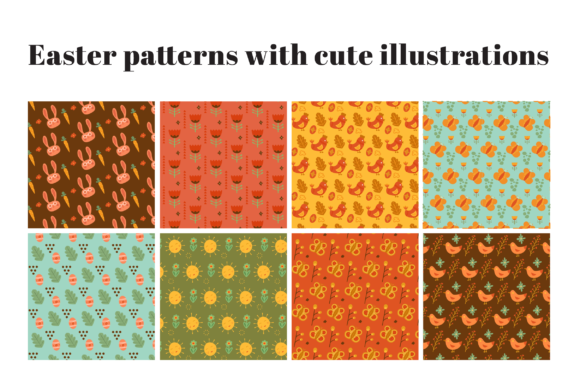
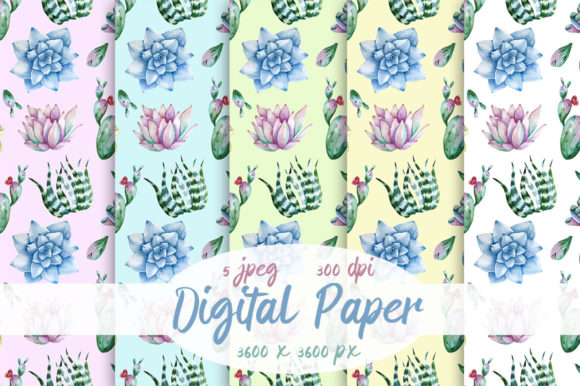
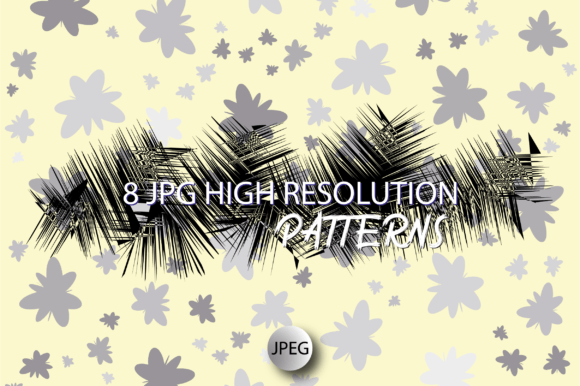
If you've ever stared at a blank design canvas wondering how to add texture, rhythm, or personality without starting from scratch — the 8 Digital Paper Patterns Design is exactly the kind of resource that quietly solves real problems. It’s not just another set of clipart or generic backgrounds. These are eight carefully crafted, high-resolution digital paper patterns — each 12 x 12 inches at 300 dpi (3600 x 3600 pixels), delivered in JPG format inside a single ZIP file. Think of them as versatile, ready-to-use visual building blocks designed for people who make things — whether that’s invitations for a backyard wedding, limited-run merch for a small business, or custom nail wraps for a boutique salon.
Where These Patterns Actually Show Up in Everyday Work
Let’s talk about where these patterns land in real life — not in theory, but in practice:
- Invitations & Stationery: A hand-lettered wedding invite gains instant warmth when layered over a subtle watercolor-inspired pattern from this set. No need to hire an illustrator — just choose one that matches the mood (vintage, modern, botanical) and drop it behind your text.
- T-Shirt & Merch Design: Small-batch designers often struggle with scalable, print-ready repeats. These patterns tile cleanly and hold detail even when enlarged on fabric. One designer used the geometric variant to create a reversible tote bag — printed on both sides with two different patterns from the set.
- Digital Albums & Social Graphics: Scrapbookers and memory-keepers building digital albums in Canva or Adobe Express love having clean, non-distracting backgrounds. The muted tones and balanced contrast in several of these patterns keep photos front and center — no pixelation, no blurry edges.
- Phone Covers & Accessories: Artists selling custom phone cases on Etsy or Redbubble upload these files directly to their print-on-demand platforms. Because they’re 300 dpi and full-size, there’s no upscaling guesswork — which means fewer rejected uploads and faster approvals.
- Jewelry & Magnet Backings: Laser-cutters and vinyl cutters don’t always handle gradients well, but these JPGs convert smoothly to vector-friendly raster layers. One craftsperson used a delicate line-based pattern as a background etch on acrylic pendants — then printed the same pattern onto magnet sheets for matching fridge art sets.
- Nail Wraps & Packaging: Nail artists creating DIY wrap kits appreciate crisp, repeatable motifs that align neatly across tiny surfaces. Likewise, small-batch soap makers and candle brands use them to design minimalist labels — especially the softer, organic-looking patterns that convey “handmade” without looking busy.
Who Benefits Most — and Why
The 8 Digital Paper Patterns Design doesn’t try to be everything to everyone — and that’s its strength. It serves specific needs well:
Freelance designers juggling tight deadlines find value in skipping the “design a pattern from zero” step. Instead of spending hours tweaking seamless repeats in Illustrator, they grab one that fits the client’s brand palette and move straight into layout.
Teachers and homeschoolers use them for printable worksheets, classroom decorations, and student art projects. One elementary art teacher laminated printed versions and turned them into tactile texture cards — kids rub crayons over them to reveal hidden shapes.
Small business owners launching a new product line — say, handmade greeting cards or resin coasters — get consistent, professional-looking backgrounds without subscription fees or licensing headaches. Since these are one-time-download JPGs, there’s no risk of losing access mid-project.
Hobbyists and makers who aren’t designers by trade also benefit. You don’t need Photoshop expertise to use these. Drag one into Cricut Design Space, resize it to fit your mat, and cut. Drop one into Procreate as a layer under your sketch. Paste it into a Word document for a stylish newsletter header.
What to Keep in Mind Before You Jump In
While the 8 Digital Paper Patterns Design is flexible, it helps to know what it is — and isn’t:
- It’s raster, not vector. That means it scales beautifully *up to* its native size (12x12"), but won’t infinitely scale like SVGs. For most uses — printing, web, cutting — this isn’t a limitation. But if you need ultra-large-format wall graphics (e.g., 4' x 8'), you’d want vector repeats instead.
- No transparent backgrounds. All files are JPGs with white or colored backgrounds — not PNGs with alpha channels. That’s great for print prep (no accidental transparency errors), but if you need overlays on non-white surfaces, a quick background removal in free tools like Photopea works fine.
- No commercial license included by default. Always double-check the terms provided by ejajul93 — many creators allow personal and small-business use, but restrictions may apply for mass production or resale of the pattern itself as a standalone item. When in doubt, reach out politely before scaling up.
- Extraction is required — but it’s simple. The files come in a ZIP folder. On Windows, just double-click and choose “Extract All.” On Mac, double-click the ZIP — it unpacks automatically. No WinRAR or WinZip needed unless you prefer them.
Why This Set Stands Out Among So Many Options
There’s no shortage of digital patterns online — but what makes the 8 Digital Paper Patterns Design worth your time is its balance of quality and quiet usefulness. These aren’t overly saturated, trend-chasing designs meant to go viral for a week. They’re grounded, adaptable, and built for longevity. You’ll notice subtle variations in line weight, spacing, and density — details that matter when you’re trying to evoke calm (soft stipple), energy (tight geometric grid), or nostalgia (faded linen texture).
Also refreshing: no upsells, no email gate, no watermark. Just eight clean, high-res files — ready when you are. Whether you're designing your first-ever baby shower invite or prepping assets for your third Shopify store launch, this set meets you where you are: practical, unpretentious, and quietly capable.
One Last Thought
Creative work isn’t just about big ideas — it’s about removing friction so those ideas can actually happen. The 8 Digital Paper Patterns Design does exactly that: it saves time, reduces decision fatigue, and adds polish without demanding expertise. It’s the kind of tool you download once and reach for again and again — not because it’s flashy, but because it simply works.