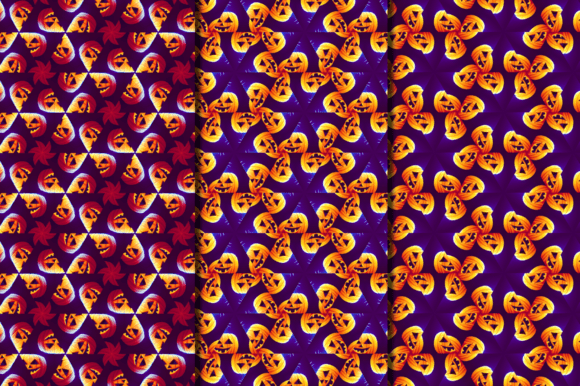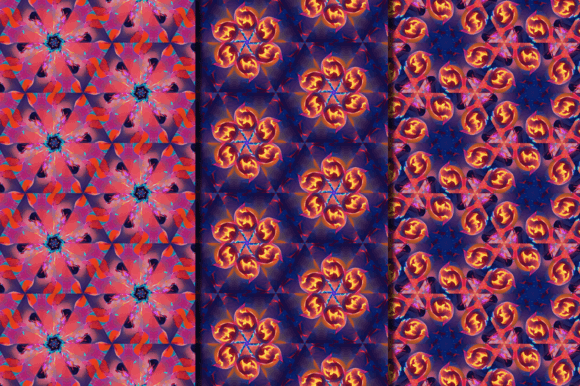
Blazing Fire Halloween Pumpkin Patterns
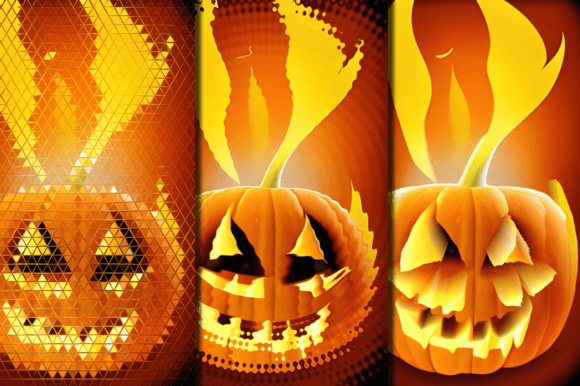
Imagine a Halloween design that doesn’t just nod to tradition—but ignites it. Blazing Fire Halloween Pumpkin Patterns is a curated set of 10 high-resolution digital art backgrounds where jack-o’-lanterns burn with vivid, stylized flame—bold, graphic, and unmistakably modern. These aren’t clipart or generic stock; they’re premium-quality JPEG files built for real creative work: sharp enough for large-format print, versatile enough for digital screens, and expressive enough to anchor a brand’s seasonal identity.
What Makes These Patterns Stand Out
Each pattern balances contrast and cohesion. The flames aren’t chaotic—they’re designed with rhythm, repetition, and intentional negative space. Some feature tight, repeating pumpkin silhouettes wrapped in ember-orange and deep charcoal gradients; others layer translucent fire textures over bold, flat-color pumpkins. The collection includes four 4:3 ratio graphics (ideal for social posts, presentations, and web banners), three 3:2 ratio files (perfect for Instagram carousels or printable cards), and one 1:1 square plus one ultra-wide 16:9 layout—giving you flexibility across platforms without cropping compromises.
All 10 files are delivered at high resolution (minimum 3000×3000 pixels, many larger), ensuring crisp output whether you’re printing 24″×36″ wall art or scaling down to a 2″×2″ sticker. There’s no watermarks, no licensing restrictions for commercial use, and no need for additional editing—just drag, drop, and build.
Creative Uses That Go Beyond Decoration
These patterns shine when treated as foundational elements—not just “backgrounds,” but starting points for intentional design decisions.
- Stationery with personality: Turn a simple thank-you card into a memorable keepsake by pairing a blazing pumpkin pattern with minimalist typography and matte paper stock. A wedding planner might use the deep-toned variants for October bridal showers; a teacher could adapt lighter versions for classroom Halloween certificates.
- Digital product assets: Designers building Canva templates, Notion dashboards, or digital planners can embed these patterns as subtle headers or section dividers—adding seasonal warmth without overwhelming function.
- Small business branding: A local bakery launching limited-edition pumpkin spice cupcakes? Use one of the warmer-pattern variants as the backdrop for an Instagram story promo—then echo that same flame tone in their packaging ribbon or receipt stamp for visual continuity.
- Textile and home decor prototyping: Hobbyists testing fabric prints can import the files directly into Spoonflower or Printful mockup tools. The consistent scale and clean edges make color separation and repeat tiling straightforward—even for beginners.
Adapting for Different Audiences and Goals
Your audience shapes how you use these patterns—and what “works” changes dramatically depending on context.
A marketer running a B2B email campaign for a cybersecurity firm wouldn’t plaster flames across every banner. But a single, desaturated version—used sparingly behind a headline like “Lock Down Your Halloween Campaign”—adds timely texture without undermining credibility. Contrast matters: pair fiery visuals with clean sans-serif type and ample white space to keep messaging clear.
For educators, consistency builds recognition. Using the same pattern across a Google Slides lesson deck, a printed scavenger hunt map, and a classroom door decoration creates visual cohesion that helps students orient themselves—especially younger learners who rely on cues beyond text.
Freelancers pitching seasonal packages (e.g., “Halloween Social Bundle”) can showcase versatility by showing three distinct applications side-by-side: a dark-mode website hero section, a printable party invitation, and a fabric swatch mockup—all using the same base pattern but adjusted in brightness, overlay opacity, or crop. That demonstrates both range and intentionality.
Practical Tips for Stronger Results
You don’t need advanced software to get professional outcomes. Here’s what works:
- Start with purpose, not aesthetics. Ask: Is this for print or screen? Who sees it first—the customer, a client, or your team? Let that guide your file selection and sizing.
- Test contrast early. Overlay light-colored text on a fiery background? Drop a subtle semi-transparent black rectangle beneath it—or lighten the top 20% of the pattern using a gradient mask. Small adjustments prevent readability issues.
- Respect scale. A tight 4:3 pattern may look energetic on a business card but feel cramped on a poster. Try zooming out slightly and repeating the motif manually—or use the 16:9 file for full-bleed wall displays.
- Keep color intentional. These patterns already carry strong orange, black, and deep red tones. If adding brand colors, choose accents that complement—not compete—like warm gold, slate gray, or cream. Avoid neon green or electric blue unless irony or contrast is part of your concept.
Why This Collection Fits Real Creative Workflows
Too many seasonal assets feel disposable—designed for quick use and immediate discard. Blazing Fire Halloween Pumpkin Patterns was built differently: with technical precision (consistent DPI, standardized ratios), aesthetic restraint (no over-rendered smoke or distracting sparkles), and practical scope (no missing formats, no hidden fees).
That means less time troubleshooting resolution mismatches or licensing fine print—and more time solving actual problems: making a small shop’s window display feel cohesive, helping students engage with seasonal learning, or giving a blog post visual authority without outsourcing design.
It’s not about “more” creativity—it’s about removing friction so your ideas land clearly, consistently, and on time. Whether you’re sketching a concept on paper, building in Figma, or prepping files for a local print shop, these patterns integrate smoothly because they were made to serve—not distract.
Getting Started Is Simple
No subscriptions. No logins. Just 10 ready-to-use JPEG files—organized, named logically, and optimized for immediate application. Import them into Adobe Photoshop, Affinity Designer, Cricut Design Space, or even PowerPoint. Adjust opacity, recrop, or layer with photos and illustrations. Because great seasonal design shouldn’t require reinventing the wheel—just choosing the right spoke.